What Is AI Server Hosting
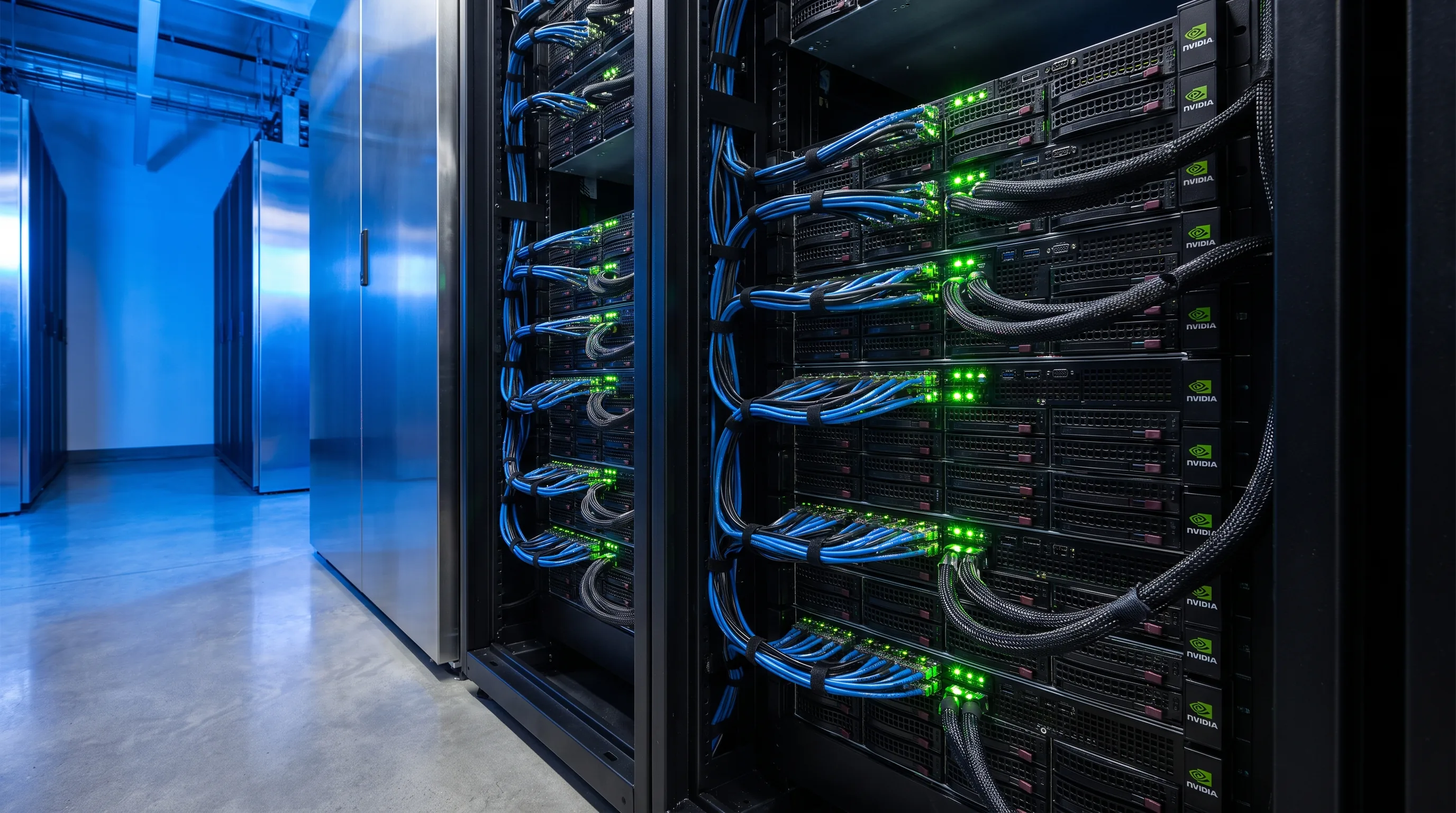
AI server hosting provides dedicated physical servers equipped with high-performance GPUs for running machine learning training, fine-tuning, and inference workloads. Unlike general-purpose hosting, AI server infrastructure is built around GPU-accelerated compute: high-wattage power delivery, advanced cooling systems, and low-latency interconnect fabrics that standard data centers were never designed to support.
The distinction matters because AI workloads behave fundamentally differently from traditional IT. A single NVIDIA H100 or H200 GPU draws 350-700W of continuous power at full utilization, and enterprise AI servers pack 4 to 8 of these GPUs into a single chassis. That translates to 6-12 kW per server, compared to 500W-1.5 kW for a typical enterprise application server. The hosting environment must be purpose-built around this reality.
For organizations evaluating whether AI hosting is the right model, our complete guide to AI hosting covers the fundamentals in depth.
Three Hosting Models Compared
Enterprise AI server hosting falls into three primary models, each with distinct trade-offs in cost, control, and operational complexity.
Dedicated Bare-Metal Servers
You lease or own physical GPU servers housed in a colocation facility. You control the operating system, drivers, frameworks, and workload scheduling. The hosting provider supplies power, cooling, physical security, and network connectivity. This model delivers the highest performance consistency because there is no hypervisor overhead and no shared resources.
Bare-metal hosting is the default choice for production AI training at scale. When a training run spans days or weeks, any performance variability from shared infrastructure compounds into significant time and cost penalties. For a detailed cost comparison, see our bare metal vs cloud GPU analysis.
Managed AI Hosting
The provider owns and manages the hardware while you access GPU resources through a dedicated allocation. Managed hosting includes hardware maintenance, driver updates, monitoring, and often cluster orchestration tools like Slurm or Kubernetes. You focus on your models and data; the provider handles the infrastructure.
This model suits organizations that need GPU compute without building an infrastructure operations team. The trade-off is less granular hardware control and typically higher per-GPU-hour cost than bare-metal. Our managed AI hosting guide details what to expect from service-level agreements and support models.
Cloud GPU Instances
Public cloud providers offer virtualized GPU instances with per-hour billing. The advantage is immediate availability and zero upfront commitment. The disadvantage is cost: sustained cloud GPU usage typically runs 2-4x the equivalent bare-metal or colocation cost over a 12-month period. Cloud also introduces noisy-neighbor effects on shared infrastructure, where another tenant's workload can impact your GPU memory bandwidth or PCIe throughput.
Cloud GPU is optimal for experimentation, prototyping, and burst workloads that do not run continuously. For production AI at scale, most enterprises find the economics favor dedicated infrastructure.
GPU Hardware Selection
The GPU determines everything downstream: server chassis selection, power provisioning, cooling requirements, and interconnect architecture. Current-generation options for AI server hosting fall into three tiers.
NVIDIA H100 / H200
The H100 (80 GB HBM3, 700W TDP) remains the most widely deployed GPU for enterprise AI training and inference. The H200 upgrades to 141 GB HBM3e, which is critical for large language models where GPU memory capacity determines the maximum model size that fits without partitioning across multiple GPUs. Both GPUs are available in PCIe and SXM form factors; SXM delivers higher memory bandwidth and is standard in HGX server platforms.
NVIDIA GB200 / Blackwell Architecture
The GB200 NVL72 represents a generational leap: 72 GPUs in a liquid-cooled rack delivering approximately 720 petaflops of AI training performance. Power draw exceeds 120 kW per rack, which requires purpose-built power distribution and mandatory liquid cooling. Hosting providers that support GB200 must have invested in liquid cooling infrastructure at the facility level -- this is not a retrofit.
AMD MI300X
AMD's MI300X offers 192 GB of HBM3 memory in a single GPU, the largest memory capacity available. For inference workloads serving large language models, the additional memory can eliminate the need for multi-GPU model parallelism, reducing infrastructure complexity. The H200 vs MI300X benchmark comparison covers workload-specific performance differences in detail.
Power and Cooling Requirements
Power and cooling are the two factors that most often determine whether a hosting facility can actually support AI servers. Many data centers built before 2022 were designed for 5-10 kW per rack densities and cannot accommodate modern AI hardware without significant infrastructure upgrades.
Power Provisioning
An 8-GPU H100 server draws approximately 10 kW at full load. A fully populated rack with two such servers, networking equipment, and top-of-rack switches can reach 25-30 kW. GB200 NVL72 racks start at 120 kW. Power provisioning must account for peak draw, not average, because GPU workloads can spike from idle to full utilization in milliseconds.
Three-phase power delivery is standard for AI server racks. The high-density colocation power requirements guide covers circuit sizing, breaker configurations, and the A/B redundant feed architecture that protects against single-point power failures.
Cooling Architecture
Air cooling works for rack densities up to approximately 20-25 kW with proper hot/cold aisle containment. Beyond that threshold, supplemental or alternative cooling is required:
- Rear-door heat exchangers (RDHx): Water-cooled doors mounted on the back of the rack that remove heat before it enters the room. Effective up to roughly 40 kW per rack.
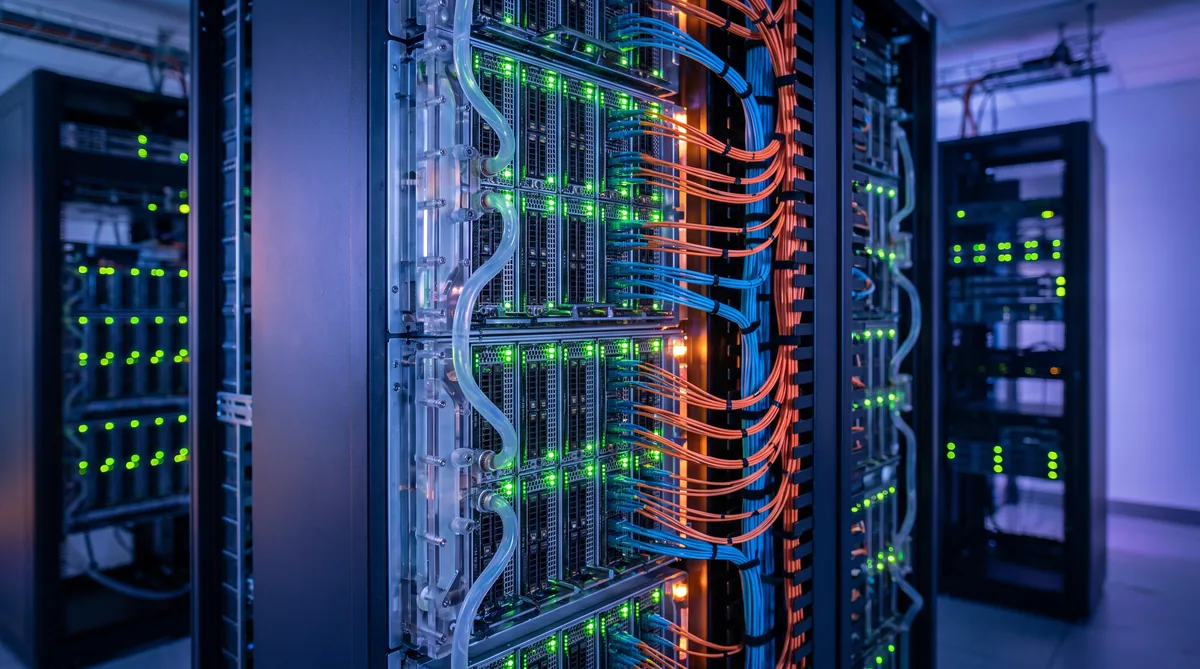
- Direct-to-chip liquid cooling: Cold plates mounted directly on GPU packages, connected to a facility water loop via coolant distribution units (CDUs). This is the standard approach for H200 and GB200 servers and handles densities above 40 kW.
- Immersion cooling: The entire server is submerged in dielectric fluid. Maximum thermal performance, but requires specialized hardware and maintenance procedures.
When evaluating hosting providers, verify the cooling architecture matches your hardware roadmap. A facility that supports 20 kW racks today may not accommodate your next GPU refresh without costly retrofits. For a comprehensive comparison, see our data center cooling technologies guide.
Network Architecture for AI Servers
AI training workloads, particularly distributed training across multiple servers, are extremely sensitive to network latency and bandwidth. The interconnect fabric between GPU servers is often the performance bottleneck, not the GPUs themselves.
InfiniBand vs Ethernet
InfiniBand remains the standard for multi-node AI training clusters. NVIDIA's ConnectX-7 adapters deliver 400 Gb/s per port with RDMA (Remote Direct Memory Access), which bypasses the CPU and operating system to transfer data directly between GPU memory across servers. This reduces latency from microseconds to single-digit microseconds.
Ultra Ethernet Consortium (UEC) specifications are closing the gap, and some operators deploy RoCEv2 (RDMA over Converged Ethernet) for cost-sensitive deployments. However, for training runs where GPU idle time during gradient synchronization directly extends wall-clock training time, InfiniBand's lower tail latency delivers measurable ROI. Our GPU cluster network fabric guide covers topology design in detail.
Storage Connectivity
AI training requires high-throughput access to training datasets. A single 8-GPU server performing image classification training may sustain 10-20 GB/s of sequential read throughput from storage. NVMe-oF (NVMe over Fabrics) and parallel file systems like Lustre or GPFS are standard for shared storage architectures. Local NVMe SSDs in each server provide the lowest latency for checkpoint writes and data staging.
SLA and Uptime Considerations
AI server hosting SLAs differ from traditional hosting in several important ways:
- Power SLA: Guarantee of uninterrupted power delivery, typically 99.99% or higher. This covers UPS and generator failover. For AI workloads, even a brief power interruption can corrupt a multi-day training run, requiring restart from the last checkpoint.
- Cooling SLA: Guarantee that inlet air or coolant temperature stays within GPU operating specifications. Thermal throttling reduces GPU clock speeds and extends training time, which is a form of downtime even if the server remains technically operational.
- Network SLA: Latency and bandwidth guarantees for the interconnect fabric. Meaningful only if the provider specifies the measurement methodology and point-to-point, not just uplink capacity.
- Hardware replacement SLA: Time to replace a failed GPU, power supply, or NIC. For a production training cluster, a single failed GPU in one node can halt distributed training across the entire cluster until the node is repaired or excluded and the job restarted.
Review our AI hosting provider checklist for the complete list of questions to ask during vendor evaluation.
Cost Optimization Strategies
AI server hosting costs are dominated by three components: GPU hardware (purchase or lease), power consumption, and facility fees. Optimization targets all three.
Right-Size GPU Selection
Not every AI workload requires the latest GPU. Inference workloads serving models under 30 billion parameters may run efficiently on previous-generation hardware at significantly lower cost. Match the GPU to the workload rather than defaulting to the newest available option. The GPU server hosting pricing guide breaks down cost per GPU-hour across hardware generations.
Committed Capacity Agreements
Hosting providers typically offer substantial discounts for 12-36 month commitments versus month-to-month pricing. If your AI workload is production and ongoing, committed terms can reduce per-GPU-hour costs by 20-40% compared to on-demand pricing.
Power Efficiency
Choose facilities with low Power Usage Effectiveness (PUE). A PUE of 1.2 means 20% of your power bill goes to cooling and infrastructure overhead. A PUE of 1.5 means 50% overhead. At scale, this difference amounts to tens of thousands of dollars annually. Facilities in regions with lower electricity rates and cooler climates deliver compounding cost advantages. For guidance on power budgeting, see our AI workload power budgeting guide.
How to Choose an AI Server Hosting Provider
Selecting the right AI server hosting provider requires evaluating capabilities that go beyond standard colocation:
- GPU availability: Can the provider actually deliver the GPU models you need, on your timeline? Supply constraints remain real for current-generation hardware.
- Power density support: Verify the facility can provision the per-rack power your hardware requires, with room for future GPU upgrades that will draw more power.
- Cooling infrastructure: Confirm the cooling architecture supports your current hardware and your 2-3 year hardware roadmap. Ask specifically about liquid cooling readiness.
- Interconnect fabric: For multi-node training, the provider must support the networking standard your workload requires (InfiniBand, RoCEv2) with non-blocking fabric topology.
- Geographic location: Proximity to your data sources, compliance with data residency requirements, and access to cost-effective power. The UAE dedicated server hosting guide covers regional considerations for Middle East deployments.
- Operational maturity: Does the provider have experience managing GPU infrastructure specifically? AI server operations differ from traditional hosting in failure modes, monitoring requirements, and maintenance procedures.
Frequently Asked Questions
What is AI server hosting?
AI server hosting provides dedicated physical servers equipped with high-performance GPUs for running AI training, fine-tuning, and inference workloads. Unlike general-purpose cloud VMs, AI server hosting delivers bare-metal GPU access with guaranteed performance, dedicated power and cooling, and SLAs designed for sustained high-utilization compute jobs.
How much power does an AI server require?
A single 8-GPU AI server typically draws between 6 kW and 12 kW depending on the GPU model and workload. NVIDIA HGX H100 systems draw roughly 10 kW at full load, while next-generation GB200 NVL72 racks can exceed 120 kW per rack. Power provisioning must account for peak draw plus cooling overhead.
What is the difference between AI server hosting and cloud GPU instances?
Cloud GPU instances provide virtualized GPU access on shared infrastructure with per-hour billing. AI server hosting provides dedicated physical servers with bare-metal GPU access, consistent performance without noisy-neighbor effects, and typically lower cost per GPU-hour for sustained workloads. Cloud is better for burst or experimental work; dedicated hosting is more cost-effective for production AI at scale.
What cooling is required for AI GPU servers?
Traditional air cooling supports racks up to roughly 20-25 kW. Beyond that, supplemental cooling is needed: rear-door heat exchangers handle 30-40 kW per rack, while direct-to-chip liquid cooling or immersion cooling is required for densities above 40 kW. Current-generation AI servers from NVIDIA increasingly ship with liquid cooling as the default configuration.