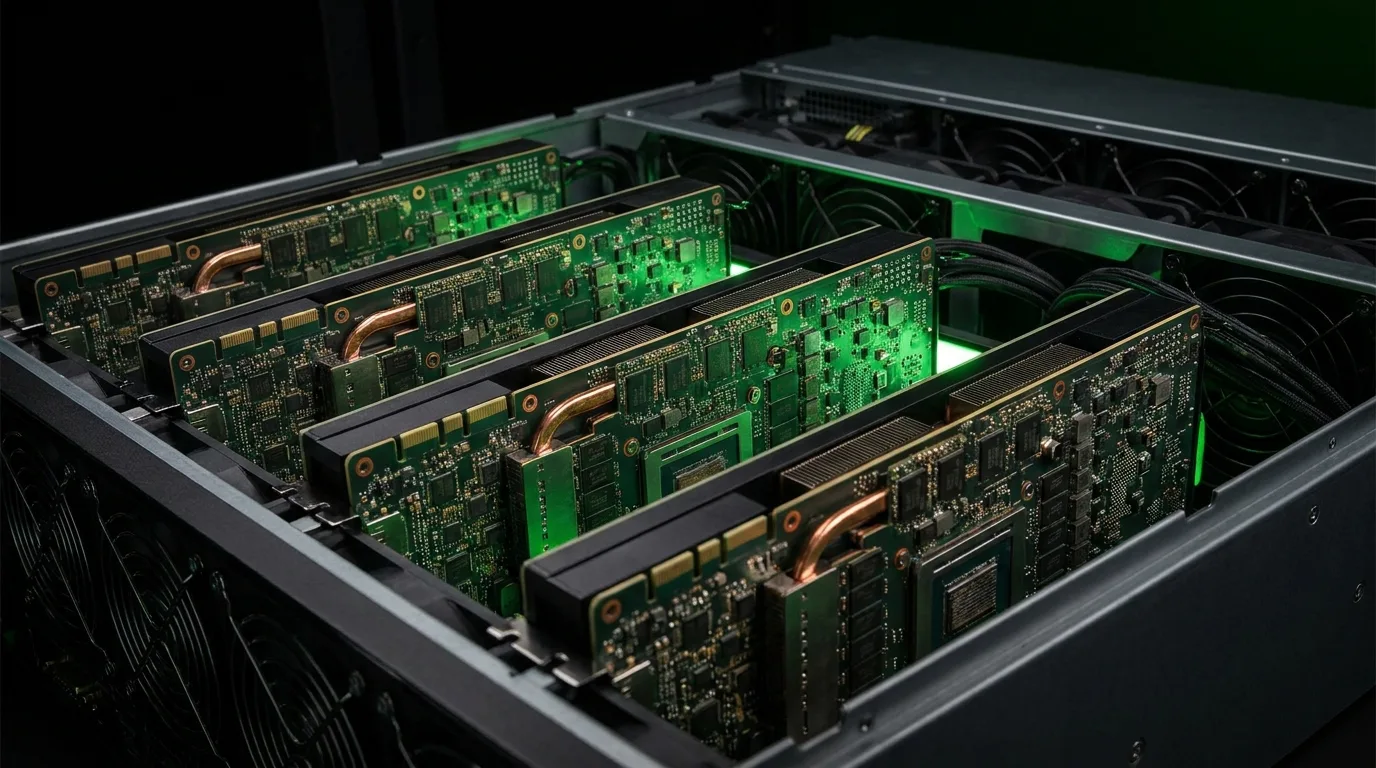
Defining AI Hosting
AI hosting refers to infrastructure services specifically designed to support artificial intelligence and machine learning workloads. Unlike traditional web hosting or general-purpose cloud computing, AI hosting is built around high-performance GPU computing, high-bandwidth networking, specialized cooling systems, and the three-phase power delivery density required to run modern AI accelerators at scale.
The explosive growth of large language models, image generation systems, autonomous vehicles, robotics, drug discovery, and countless other AI-powered applications has created enormous demand for GPU compute that far outstrips available supply. As of 2026, the global shortage of GPU compute capacity continues to be one of the most significant bottlenecks in AI development. This infrastructure gap has given rise to a specialized hosting industry focused on providing the physical and computational infrastructure that AI workloads require.
Whether you are a startup deploying your first AI model, an enterprise scaling existing ML operations, or a research lab training frontier models, understanding the AI hosting landscape is essential for making informed decisions about your infrastructure strategy.
Why AI Needs Specialized Infrastructure
AI workloads differ fundamentally from traditional computing tasks in ways that make general-purpose infrastructure inadequate. Understanding these differences explains why purpose-built AI hosting exists and why you cannot simply run AI workloads on traditional web servers or standard cloud instances.
Compute Requirements
Modern AI models require massive parallel computation that only GPUs (and specialized AI accelerators) can provide efficiently. A single NVIDIA H100 GPU delivers approximately 4 petaflops of FP8 performance, more compute than the entire world's combined computing power had in the early 2000s. Training a frontier model like GPT-4 or Llama 3 required thousands of these GPUs running continuously for months. Even inference (running a trained model to generate responses) requires substantial GPU resources that scale with model size and user demand.
The computational intensity of AI is growing faster than hardware capability. Model sizes have grown by roughly 10x per year since 2018, while GPU performance has improved by perhaps 2-3x per year. This gap means that AI infrastructure needs continue to grow rapidly, driving demand for more and better hosting solutions.
Power and Cooling Demands
| Component | Traditional Server | AI GPU Server |
|---|---|---|
| Power per Server | 500-800 W | 5,000-10,000+ W |
| Power per Rack | 5-15 kW | 40-120+ kW |
| Cooling Method | Air cooling sufficient | Liquid cooling often required |
| Network per Server | 1-10 Gbps Ethernet | 100-400 Gbps (InfiniBand or high-speed Ethernet) |
| Floor Loading | 150-250 lbs/sq ft | 300-500+ lbs/sq ft |
A single AI GPU server can consume 10-20x the power of a traditional server. This power density means that facilities designed for traditional computing cannot simply add GPUs without significant infrastructure upgrades to their power delivery systems, cooling capacity, and structural floor loading. A data center built for 5 kW per rack cannot support a 60 kW GPU rack without major renovation.
Networking Needs
AI training workloads, particularly distributed training across multiple GPUs and servers, require ultra-high-bandwidth, ultra-low-latency networking. NVIDIA's InfiniBand technology delivers up to 400 Gbps per port with microsecond latencies, and next-generation NDR400 interconnects push beyond 400 Gbps. This level of networking is orders of magnitude beyond what traditional data centers provide and requires specialized switches, cables, and network architectures. Understanding data center power redundancy is equally critical, since a single GPU cluster failure can cost thousands of dollars per hour in lost compute.
Inadequate networking between GPU nodes during distributed training can reduce GPU utilization by 20-40%, effectively wasting that proportion of your GPU investment. Network topology (how switches connect to servers) and oversubscription ratios (how much bandwidth is shared between ports) directly impact training throughput and cost efficiency.
Types of AI Hosting Services
GPU Cloud Computing
GPU cloud providers offer on-demand access to GPU instances via a pay-per-hour or pay-per-second model, similar to traditional cloud computing but with GPU-accelerated instances. Major providers include NVIDIA DGX Cloud, AWS (P5 instances with H100 GPUs), Google Cloud (A3 instances), Microsoft Azure (ND H100 v5), and specialized providers like CoreWeave, Lambda Labs, and Together AI.
- Advantages: No upfront hardware investment, elastic scaling (add or remove GPUs as needed), quick provisioning (minutes to hours), no infrastructure management responsibility
- Disadvantages: Highest cost per GPU-hour (often 3-5x the effective cost of owned hardware), limited availability for the latest GPU models (waitlists are common), potential data sovereignty and privacy concerns, vendor lock-in risk
- Best For: Short-term projects, burst capacity needs, experimentation and prototyping, startups with limited capital who need to move fast
GPU Colocation
GPU Colocation: Everything You Need to Know in 2026 involves placing your own GPU hardware in a third-party data center that provides power, cooling, networking, and physical security. You own the hardware and have full control over software and configuration; the facility provides the environment that keeps it running.
- Advantages: Significantly lower long-term cost than cloud (typically 30-60% savings over 12+ months), full hardware control and customization, predictable monthly expenses, no vendor lock-in
- Disadvantages: Substantial upfront hardware investment (H100 servers cost $200,000-$400,000+), responsibility for hardware procurement and maintenance, longer deployment timeline, requires technical expertise
- Best For: Sustained workloads running 24/7, organizations with existing GPU hardware, privacy-sensitive applications, operations where total cost of ownership matters more than initial speed
Managed AI Hosting
Managed hosting combines the benefits of colocation with professional management services. The provider may handle hardware procurement, installation, OS configuration, monitoring, maintenance, and often software stack management (CUDA, drivers, frameworks), while the client focuses purely on their AI workloads and applications.
- Advantages: Reduced operational complexity, professional management by infrastructure experts, faster deployment than self-managed colocation, single point of contact for all infrastructure issues
- Disadvantages: Less granular control than self-managed colocation, management fees add 10-20% to base costs, potential communication overhead for custom requirements
- Best For: Organizations without in-house data center expertise, teams that want to focus on AI development rather than infrastructure management, rapid deployment needs
Dedicated AI Clusters
For large-scale AI operations, dedicated clusters provide a private, purpose-built computing environment. This can range from a few racks configured as a tightly coupled GPU cluster to entire data halls with hundreds or thousands of GPUs, custom networking, and dedicated storage systems.
- Advantages: Custom configuration optimized for specific workloads, maximum performance with no noisy neighbor effects, dedicated resources with guaranteed availability, ability to optimize every aspect of the stack
- Disadvantages: Highest commitment level (typically 1-3 year contracts), longest deployment time (weeks to months), requires significant scale to justify the overhead
- Best For: Large language model training, enterprise AI platforms with strict SLA requirements, organizations with sustained large-scale GPU needs measured in hundreds or thousands of GPUs
Key Infrastructure Components for AI Hosting
GPU Accelerators
The GPU is the heart of any AI hosting environment. For a comprehensive overview of current GPU options, see our NVIDIA GPU Guide for Data Center Operators: H100, A100, L40S, and Beyond. The choice of GPU depends on the specific workload type (training vs. inference), model size, budget, and performance requirements. For a head-to-head analysis of the two most popular enterprise GPUs, see our AMD MI300X vs NVIDIA H100 comparison. The current GPU landscape ranges from inference-optimized cards like the NVIDIA L4 (72W, $2,000) to training powerhouses like the H100 SXM (700W, $25,000+) and next-generation Blackwell B200 (1,000W).
High-Performance Networking
For distributed training across multiple GPU servers, inter-GPU communication bandwidth is often the performance bottleneck. Modern AI clusters use specialized networking technologies:
- InfiniBand HDR/NDR: 200-400 Gbps per port with sub-microsecond latency and RDMA (Remote Direct Memory Access) support. The gold standard for training clusters with maximum GPU utilization.
- RoCE v2 (RDMA over Converged Ethernet): Lower cost alternative to InfiniBand with similar RDMA capabilities, running over standard Ethernet switches. Good balance of cost and performance for medium-scale deployments.
- NVLink and NVSwitch: NVIDIA's proprietary interconnect for GPU-to-GPU communication within and across servers, delivering up to 900 GB/s bidirectional bandwidth. NVLink provides the tightest coupling between GPUs.
Storage Systems
AI workloads require high-throughput storage for training data, model checkpoints, and inference outputs. Storage performance directly impacts GPU utilization because GPUs sitting idle while waiting for data represent wasted investment.
- NVMe SSD Arrays: Local high-speed storage for active datasets, providing microsecond-latency access to training data
- Parallel File Systems: Lustre, GPFS (IBM Spectrum Scale), or BeeGFS for shared storage across cluster nodes, enabling multiple GPU servers to access the same training data simultaneously
- Object Storage: S3-compatible storage for data lakes, long-term model storage, and training data archival
Power and Cooling
Power delivery and cooling are perhaps the most challenging aspects of AI infrastructure. Modern GPU servers demand 5-10+ kW each, creating rack densities of 40-120+ kW that exceed the capabilities of most existing data centers. This requires:
- Robust Power Distribution: High-capacity PDUs, redundant power feeds, and Understanding UPS Systems for Data Centers: Types, Sizing, and Best Practices sized for GPU loads
- Advanced Cooling: Direct liquid cooling, rear-door heat exchangers, or immersion cooling for highest densities. Traditional air cooling is insufficient above 30-40 kW per rack. See Data Center Cooling Technologies Compared: Air, Liquid, and Immersion for options.
Choosing the Right AI Hosting Solution
The decision often comes down to managed versus self-managed models. Our AI managed hosting guide covers the enterprise GPU infrastructure options, while colocation vs building your own data center addresses the ownership question for AI workloads.
Decision Framework
| Factor | Cloud | Colocation | Managed Hosting |
|---|---|---|---|
| Upfront Cost | None | High (hardware purchase) | Medium |
| Ongoing Cost (per GPU-hour) | Highest | Lowest | Medium |
| Hardware Control | None | Complete | Partial |
| Time to Deploy | Minutes to hours | Weeks to months | Days to weeks |
| Scalability | Elastic (up and down) | Fixed capacity | Semi-flexible |
| Expertise Needed | Low (managed by provider) | High (self-managed) | Low (provider manages) |
| Cost Crossover Point | Best under 3 months | Best over 6-12 months | Best 3-12 months |
Questions to Ask Before Choosing
- What is the expected duration of your GPU needs? Short experiments favor cloud; sustained production favors colocation.
- Do you need elastic scaling or are your requirements relatively predictable month to month?
- What are your data security, privacy, and sovereignty requirements? Regulated industries may require on-premises or dedicated infrastructure.
- Do you have in-house expertise to manage GPU infrastructure, or do you need a managed solution?
- What is your total budget including hardware capital expenditure, power costs, and management overhead?
- Do you need InfiniBand networking for distributed training, or is Ethernet sufficient for your inference workloads?
Industry Insight: Many organizations start with cloud GPUs for experimentation and prototyping, then transition to colocation or managed hosting as their workloads mature and cost optimization becomes a priority. The crossover point where colocation becomes cheaper than cloud typically occurs at 3-6 months of sustained 24/7 usage for a given GPU allocation. Organizations spending more than $50,000 per month on cloud GPU instances should seriously evaluate colocation alternatives.
The AI Infrastructure Shortage
As of 2026, demand for GPU compute continues to significantly outpace supply globally. Major cloud providers frequently have waitlists for their latest GPU instances, particularly for H100 and Blackwell-generation hardware. Colocation facilities with adequate power density and cooling for AI workloads are at capacity in many major markets, with new capacity taking 12-24 months to bring online.
This shortage has several implications for organizations planning AI infrastructure. Markets like the Texas hosting corridor and the UAE's growing data center ecosystem are among the few regions rapidly adding capacity:
- Plan ahead: GPU procurement lead times can be 3-12 months for large orders. Start planning well before you need capacity.
- Lock in capacity: Commit to colocation or hosting agreements before you need the space, as availability is limited.
- Consider alternatives: Mining-to-AI facility conversions are one path to rapid capacity, as mining infrastructure already provides the high-power-density environments that AI workloads require. Facilities designed for immersion cooling often translate well to AI use cases.
- Optimize utilization: Make the most of existing GPU capacity through efficient scheduling, model optimization, and quantization techniques that reduce GPU memory and compute requirements.
Security and Compliance in AI Hosting
AI workloads frequently involve sensitive data, proprietary models, and confidential business logic. This makes security and compliance critical considerations when selecting an AI hosting provider. Key areas to evaluate include physical security (multi-layered access controls, 24/7 surveillance, biometric entry), network security (DDoS protection, intrusion detection, firewall management), data sovereignty (ensuring data stays in required geographic jurisdictions), and compliance certifications (SOC 2 Type II, ISO 27001, HIPAA for healthcare data, PCI DSS for payment-adjacent workloads). Ask potential providers about their incident response procedures, data destruction policies, and audit history before committing to a hosting relationship. For a deeper look at facility standards, see our guide to data center tier classification.
Getting Started with AI Hosting
RAX Data & Energy provides AI hosting solutions tailored to your specific needs. Whether you are a startup looking to deploy your first GPU cluster or an enterprise scaling existing AI operations, our facilities are purpose-built for the power density, cooling capacity, and networking performance that modern AI workloads demand.
Our team can help you evaluate your LLM Infrastructure Requirements: What You Need to Run Large Language Models, select the right hosting model, configure your infrastructure, and deploy your AI workloads efficiently. Explore our transparent hosting pricing and hosting cost breakdown for 2026 to compare options. With facilities designed for both current-generation and next-generation GPU hardware, we provide the infrastructure foundation that lets you focus on building great AI products rather than managing data center operations.