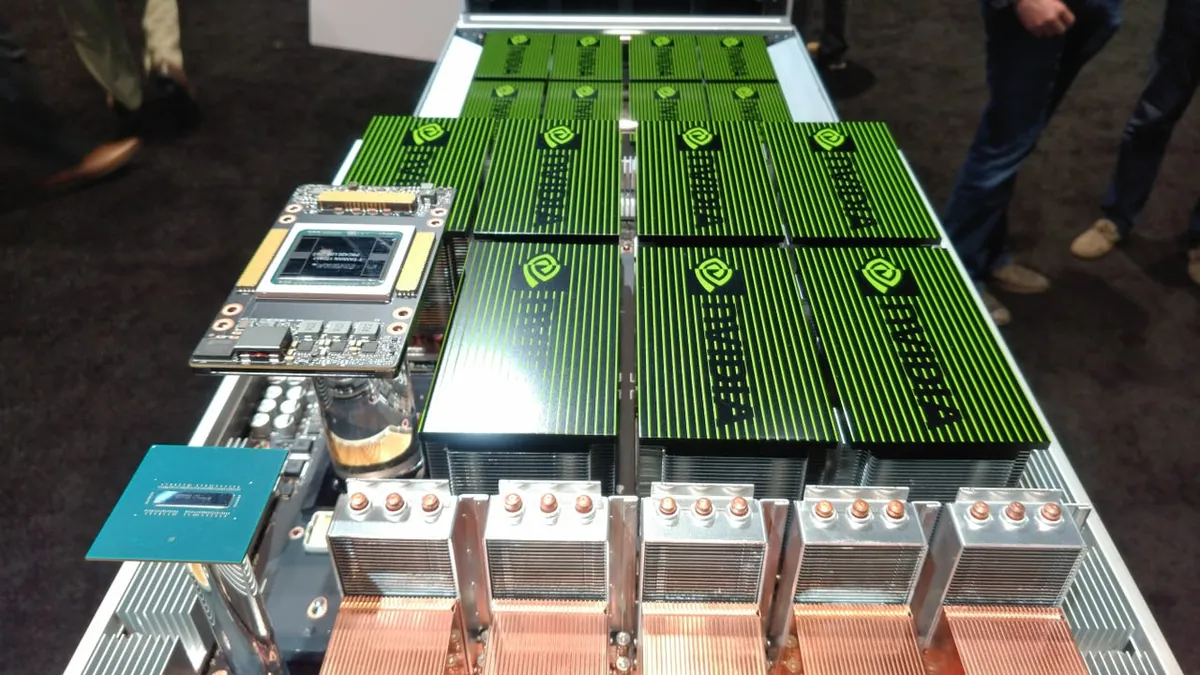
Key Takeaway: GPU servers represent some of the highest per-unit capital expenditure in modern IT infrastructure. A structured lifecycle management approach -- covering procurement, deployment, operations, refresh, and disposition -- can reduce total cost of ownership by 25-35% compared to ad-hoc hardware management.
GPU servers are the backbone of modern AI infrastructure. Whether you are running large language model training, real-time inference, or high-performance computing workloads, the hardware you deploy in colocation represents a major capital investment that demands disciplined management across its entire useful life.
Unlike commodity x86 servers that can run for 5-7 years with minimal attention, GPU servers face accelerated depreciation driven by rapid architectural improvements from NVIDIA, AMD, and Intel. Each new generation delivers substantial performance-per-watt gains that can make existing hardware economically obsolete well before it physically fails. This guide provides a structured framework for managing every phase of the GPU server lifecycle in a colocation environment.
Phase 1: Capacity Planning and Procurement
Effective GPU lifecycle management starts before you purchase a single server. The planning phase determines whether your infrastructure investment delivers maximum return or becomes an expensive lesson in depreciation.
Workload Assessment
Begin by characterizing your AI workloads across four dimensions:
- Compute intensity: Training workloads demand sustained peak GPU utilization (often 90%+ for days or weeks), while inference workloads typically show variable utilization patterns with predictable peaks and valleys.
- Memory requirements: Large language models and vision transformers increasingly require high-bandwidth memory (HBM). Determine whether your models fit within a single GPU's VRAM or require multi-GPU or multi-node scaling.
- Throughput vs. latency: Batch inference and offline training prioritize throughput (tokens per second, images per hour). Real-time inference and interactive applications prioritize latency (time to first token, P99 response time).
- Growth trajectory: Project your compute needs 18-36 months forward. GPU procurement lead times can extend to 6-12 months for high-demand models, so planning ahead avoids costly spot-market premiums.
Hardware Selection
Match GPU hardware to your workload profile. Current-generation options span a wide performance and price range:
| Consideration | Training-Optimized | Inference-Optimized |
|---|---|---|
| GPU memory | 80-192 GB HBM per GPU | 24-80 GB HBM or GDDR6X |
| Interconnect | NVLink/NVSwitch, InfiniBand | PCIe Gen5, RoCE |
| Power per GPU | 700-1000W | 150-400W |
| Typical refresh | 2-3 years | 3-5 years |
For detailed GPU comparisons, see our guides on NVIDIA H200 vs. H100 and AMD MI300X vs. NVIDIA H100.
Colocation Provider Alignment
Before purchasing hardware, confirm your colocation provider can support it. Key questions include:
- What is the maximum per-rack power density? Modern GPU servers can draw 40-100+ kW per rack.
- Is liquid cooling infrastructure available? Many current GPU platforms require direct-to-chip cooling.
- What network cross-connect options exist for InfiniBand or RoCE fabrics?
- Does the facility offer remote hands services with GPU deployment experience?
Phase 2: Deployment and Commissioning
Proper deployment sets the foundation for reliable operations throughout the server's lifecycle. Rushing this phase creates problems that compound over months and years.
Physical Installation
GPU server deployment in colocation follows a structured rack-and-stack process. Key steps include:
- Receiving and inspection: Verify shipped hardware against purchase orders. Check for shipping damage, confirm serial numbers, and photograph the condition of each unit before racking.
- Rack placement: Position servers according to your rack density plan, accounting for weight distribution, airflow paths, and cable routing.
- Power connection: Connect to the appropriate PDU circuits, verify phase balancing, and confirm that each server's power draw matches specifications.
- Cooling hookup: For liquid-cooled systems, connect CDU manifolds, verify flow rates, check for leaks at every fitting, and confirm coolant temperature under load.
- Network cabling: Install management (IPMI/BMC), data (Ethernet), and GPU fabric (InfiniBand/RoCE) connections. Label every cable at both ends.
Burn-In and Baseline Testing
Before placing servers into production, run a burn-in period of 48-72 hours with sustained GPU stress testing. This catches infant mortality failures and establishes performance baselines:
- Run GPU stress tests at 100% utilization to verify thermal performance and power draw.
- Execute memory tests across all HBM/VRAM to detect ECC errors.
- Benchmark interconnect throughput (NVLink bandwidth, InfiniBand RDMA latency).
- Record baseline metrics: idle and load temperatures, power consumption, fan speeds, and clock frequencies.
Phase 3: Operational Management
The operational phase represents the longest period of the lifecycle and is where disciplined monitoring and maintenance deliver the greatest return.
Continuous Monitoring
Effective GPU monitoring in colocation combines multiple telemetry sources. For a deep dive into monitoring tools and metrics, see our guide on fleet remote monitoring (the telemetry principles apply to GPU servers as well).
Essential metrics to track continuously include:
- GPU temperature and HBM temperature: Sustained temperatures above manufacturer-specified thresholds reduce component lifespan.
- ECC error rates: Correctable ECC errors in GPU memory are normal at low rates. A rising trend in correctable errors -- or any uncorrectable errors -- signals impending failure.
- Power consumption relative to TDP: Consistent over-draw may indicate cooling issues forcing the GPU to boost aggressively. Under-draw relative to expected utilization may indicate throttling.
- PCIe link health: Degraded PCIe link width (x16 dropping to x8) or speed (Gen5 falling to Gen4) severely impacts GPU-to-host bandwidth.
- Fan RPM and coolant flow: Deviations from baseline indicate developing thermal issues.
Firmware and Driver Management
GPU firmware and driver updates require careful management in production environments:
- Maintain a staging environment (even a single node) to validate updates before production rollout.
- Schedule firmware updates during planned maintenance windows. GPU firmware updates often require a full server reboot.
- Track NVIDIA Security Bulletins and AMD advisories for critical patches.
- Document every firmware/driver version deployed across the fleet for troubleshooting and compliance.
Preventive Maintenance
In a colocation environment, preventive maintenance typically involves coordination with your provider's remote hands team:
- Quarterly: Inspect and clean air filters (air-cooled systems), check cable connections, verify PDU readings against monitoring data.
- Semi-annually: Thermal paste inspection on air-cooled GPUs, coolant quality testing for liquid-cooled systems, firmware audit against latest stable releases.
- Annually: Full asset audit (verify serial numbers, confirm warranty status), performance benchmarking against baseline, review of power and cooling utilization trends.
Phase 4: Performance Optimization
Ongoing optimization extends the useful economic life of GPU servers and maximizes return on your hardware investment.
Workload Scheduling
Use Kubernetes GPU orchestration or Slurm job scheduling to maximize GPU utilization across your fleet. Key strategies include:
- Bin-packing smaller inference workloads using NVIDIA MIG (Multi-Instance GPU) to avoid leaving GPU capacity idle.
- Scheduling batch training jobs during off-peak hours when cooling is more efficient (especially relevant in hot-climate facilities).
- Implementing preemption policies that let high-priority workloads interrupt batch jobs without losing progress (via checkpointing).
Power Optimization
GPU power management directly impacts your colocation operating costs:
- Configure GPU power limits to the optimal performance-per-watt point. For many workloads, reducing power limits by 10-15% from maximum TDP yields only a 3-5% throughput reduction.
- Use dynamic power scaling for inference workloads that vary throughout the day.
- Monitor PUE impact -- lower GPU power draw reduces facility cooling requirements, compounding the savings.
Phase 5: Refresh Planning
The refresh decision is the most consequential financial choice in GPU lifecycle management. Replace too early and you leave residual value on the table. Replace too late and you pay a premium in power costs and lost opportunity.
Refresh Triggers
Monitor these indicators to determine optimal refresh timing:
- Performance-per-watt gap: When newer-generation GPUs offer more than 2x the performance per watt for your specific workloads, the power cost savings alone may justify replacement.
- Model architecture requirements: New AI model architectures may require hardware features (larger memory, new precision formats, advanced interconnects) that existing GPUs lack.
- Maintenance cost escalation: When annual maintenance costs (component replacements, downtime, remote hands labor) exceed 15-20% of the hardware's current market value.
- Warranty expiration: The end of manufacturer warranty is a natural inflection point for refresh analysis, though it should not be the sole trigger.
- Colocation contract renewal: Align hardware refresh with colocation contract negotiations to secure better power rates for higher-efficiency hardware.
Total Cost of Ownership Analysis
Compare the TCO of continuing to operate existing hardware versus deploying new:
TCO Formula: Annual Operating Cost = (Power per GPU x Hours x Electricity Rate x PUE) + (Colocation Rack Fee) + (Maintenance Cost) + (Depreciation). Compare this against the same calculation for new hardware, factoring in the performance improvement per workload unit.
Phase 6: End-of-Life and ITAD
Responsible IT Asset Disposition (ITAD) is both a financial opportunity and a compliance requirement. GPU servers retain significant residual value that can offset the cost of new hardware.
Data Sanitization
Before any hardware leaves your colocation cage:
- Securely erase all NVMe and SSD storage using NIST 800-88 compliant methods.
- Clear GPU VRAM and any persistent memory. While VRAM does not retain data after power-off, confirming this as part of a documented process satisfies auditors.
- Reset BMC/IPMI configurations to clear stored credentials and network settings.
- Generate certificates of data destruction for each asset.
Remarketing and Recycling
GPU servers have an active secondary market. Options for end-of-life hardware include:
- Direct resale: High-demand GPUs (particularly NVIDIA data center models) retain 20-40% of their value after 3 years in well-maintained condition.
- Broker remarketing: IT asset brokers handle testing, grading, and sales for a commission (typically 15-25% of sale price).
- Manufacturer trade-in: Some OEMs offer trade-in programs that provide credit toward new hardware purchases.
- Certified recycling: For hardware with no resale value, use R2 or e-Stewards certified recyclers to ensure responsible material recovery.
Building a Lifecycle Management Framework
Bringing all phases together into a repeatable framework requires documentation, tooling, and organizational discipline.
Asset Management Database
Maintain a centralized asset database (a DCIM system or dedicated ITAM tool) that tracks:
- Every GPU server by serial number, model, purchase date, and warranty expiration.
- Physical location (facility, cage, rack, rack unit).
- Firmware and driver versions deployed.
- Cumulative operating hours and utilization metrics.
- Maintenance history (component replacements, thermal paste reapplications, fan swaps).
- Financial data (purchase price, depreciation schedule, current book value, estimated resale value).
Lifecycle Dashboard
Create a dashboard that provides at-a-glance visibility into your fleet's lifecycle status: units approaching warranty expiration, hardware with rising ECC error trends, servers nearing the performance-per-watt refresh threshold, and upcoming maintenance windows.
Frequently Asked Questions
How long is the typical lifecycle of a GPU server in a data center?
GPU servers in colocation typically have a useful lifecycle of 3 to 5 years, depending on workload intensity and the pace of architectural improvements. Training-heavy deployments tend toward the shorter end, while inference workloads can extend toward 5 years.
What should I look for in a colocation provider for GPU server hosting?
Prioritize power density support (40-100+ kW per rack), liquid cooling infrastructure, high-bandwidth network connectivity with low-latency cross-connects, remote hands services with GPU expertise, and flexible power contracts. See our AI hosting provider checklist for a complete evaluation framework.
When should I refresh my GPU servers rather than continue operating them?
Consider a refresh when newer GPUs offer 2x or more performance per watt for your workloads, when maintenance costs exceed 15-20% of residual value annually, or when new model architectures require hardware features your current GPUs lack.
What is ITAD and why does it matter for GPU servers?
ITAD (IT Asset Disposition) covers the secure, responsible retirement of IT hardware. For GPU servers, it matters because GPUs retain significant resale value, stored data must be securely erased, and environmental regulations require certified recycling.
How do I track GPU health and predict failures in colocation?
Combine IPMI/BMC telemetry with GPU-specific tools like NVIDIA DCGM or AMD ROCm SMI. Monitor GPU temperature, HBM temperature, ECC error rates, power draw, PCIe link health, and fan speeds. Rising ECC errors and thermal throttling are the strongest failure predictors.
Need GPU Colocation with Lifecycle Support?
Rax Data & Energy provides high-density GPU colocation with liquid cooling, 24/7 remote hands, and power infrastructure designed for AI workloads.
Contact Our Team AI Compute Solutions