Data Center Network Switch Selection Guide for AI Clusters
October 9, 2026 | Data Centers & Hosting
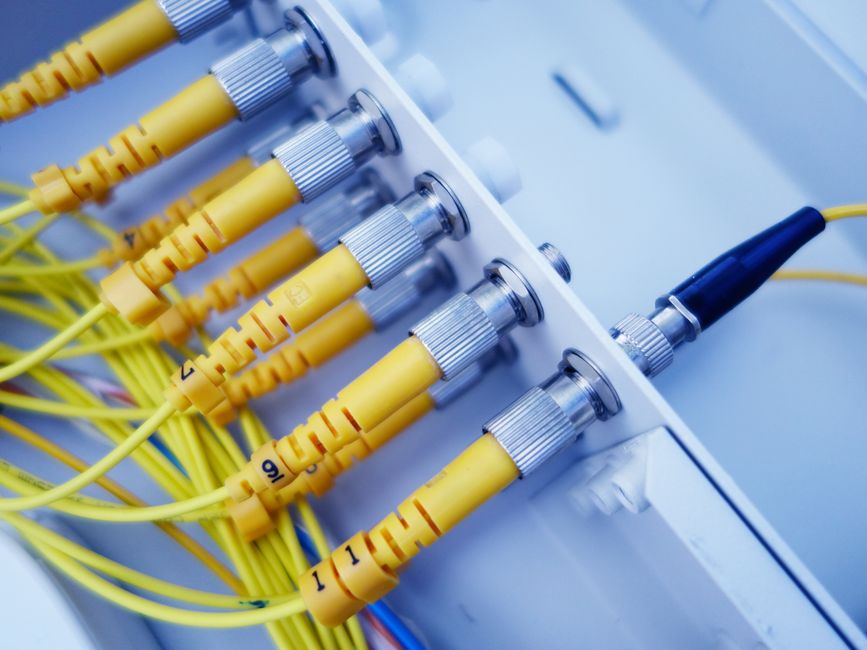
Network infrastructure is the backbone of AI cluster performance. While GPU specifications dominate planning discussions, network switches determine whether your cluster achieves theoretical peak performance or suffers from communication bottlenecks that cripple training throughput and inflate costs. The difference between a well-designed network fabric and an under-provisioned one can be 2-3x in training time and operational efficiency.
This guide provides a comprehensive framework for selecting network switches for AI GPU clusters, covering bandwidth requirements, technology choices, topology design, vendor evaluation, and total cost of ownership considerations.
Understanding AI Cluster Network Requirements
AI workloads, particularly distributed training, impose unique network demands that differ fundamentally from traditional data center traffic patterns.
Collective Communication Patterns
Distributed training uses collective communication primitives where every GPU must exchange data with every other GPU. The most critical operation is all-reduce, where GPUs aggregate gradient updates after each training step. In a 128-GPU cluster, each GPU participates in a synchronized exchange of multi-GB gradient tensors every few seconds.
This many-to-many traffic pattern creates extreme east-west bandwidth requirements. Unlike web applications with primarily north-south traffic (client to server), AI clusters can saturate inter-rack and cross-cluster links if the network fabric is undersized.
Low-Latency Requirements
Training throughput is sensitive to network latency. Each all-reduce operation blocks GPU computation, creating a direct correlation between network latency and training steps per second. Sub-microsecond switch latency is essential. A cluster with 5 microseconds round-trip latency versus 1 microsecond may see 15-20% lower training throughput due to accumulated synchronization overhead.
Lossless Operation
AI frameworks rely on RDMA (Remote Direct Memory Access) for zero-copy GPU-to-GPU transfers, bypassing the operating system kernel and eliminating CPU overhead. RDMA requires lossless Ethernet (using Priority Flow Control and Explicit Congestion Notification) or native lossless fabrics like InfiniBand. Packet loss forces retransmissions that destroy RDMA performance.
Key Switch Specifications for AI Clusters
Port Speed and Bandwidth
Switch port speed must match or exceed GPU interconnect requirements. Modern AI servers use 200-400 Gbps network connections per GPU node.
| Cluster Size | Recommended Port Speed | Typical Use Case |
|---|---|---|
| 8-32 GPUs | 100 Gbps | Inference clusters, small-scale fine-tuning |
| 32-128 GPUs | 200-400 Gbps | Mid-scale training, production LLM fine-tuning |
| 128-512 GPUs | 400 Gbps | Large-scale LLM training, frontier model development |
| 512+ GPUs | 800 Gbps (XDR IB) | Hyperscale training clusters, multi-node supercomputing |
Port Density
High port density reduces the number of switches required, lowering capital costs, power consumption, and rack space. However, port density must balance with switching capacity (aggregate throughput).
- Leaf Switches: 32-64 ports (downlink to servers) plus 8-32 uplink ports (to spine). Higher density (64-port) allows consolidation but may increase oversubscription.
- Spine Switches: 64-128 ports or modular chassis supporting 256+ ports for large deployments.
Switching Capacity and Throughput
Total switching capacity must support line-rate forwarding on all ports simultaneously. For a 32-port 400 Gbps switch, required switching capacity is 32 ports x 400 Gbps x 2 (bidirectional) = 25.6 Tbps. Verify switches specify non-blocking, line-rate performance.
Latency
Switch latency directly impacts training throughput. Target specifications:
- InfiniBand switches: 300-500 nanoseconds port-to-port
- High-performance Ethernet switches: 500-700 nanoseconds
- Cut-through forwarding: Reduces latency by 100-200 ns versus store-and-forward
Buffer Depth
Packet buffers absorb transient congestion during all-reduce bursts. Shallow buffers cause packet drops, forcing TCP retransmissions or triggering PFC pauses that propagate congestion.
- Minimum: 16-32 MB per switch for lossless Ethernet (RoCE)
- Recommended: 64-128 MB for larger clusters to handle microburst traffic
- Deep buffers: Some vendors offer 256 MB+ buffers, beneficial for clusters with high fan-out (128+ nodes)
InfiniBand vs Ethernet for AI Clusters
InfiniBand Advantages
- Lower Latency: Native RDMA with 300-500 ns switch latency, 10-30% lower than RoCE Ethernet.
- SHARP Technology: NVIDIA's Scalable Hierarchical Aggregation and Reduction Protocol offloads all-reduce operations to the switch fabric, reducing GPU-CPU overhead.
- Proven at Scale: Dominant in supercomputing and large AI clusters (NVIDIA DGX SuperPOD, hyperscaler training infrastructure).
- Simpler Configuration: Purpose-built for HPC/AI, less tuning required versus lossless Ethernet.
Ethernet (RoCE) Advantages
- Vendor Diversity: Multiple switch vendors (Arista, Cisco, Juniper, Dell, HPE) versus InfiniBand's NVIDIA-dominated ecosystem.
- Operational Familiarity: Most data center teams have Ethernet expertise. InfiniBand requires specialized knowledge.
- Infrastructure Integration: Easier to integrate AI clusters with existing data center networks for storage, management, and external connectivity.
- Cost: Ethernet switches typically 20-40% less expensive than equivalent InfiniBand at 100G and 200G speeds. Cost gap narrows at 400G.
Performance Comparison at 400 Gbps
At 400 Gbps, InfiniBand (NDR) maintains a latency advantage (350 ns vs. 550 ns for RoCE), but RoCE Ethernet has closed the performance gap significantly. For clusters under 128 GPUs, well-tuned RoCE can deliver 90-95% of InfiniBand performance. Beyond 256 GPUs, InfiniBand's SHARP and lower latency provide measurable training speedups.
Recommendation: Choose InfiniBand for maximum performance in large training clusters (128+ GPUs). Choose Ethernet for smaller clusters, inference deployments, and organizations prioritizing vendor flexibility and operational simplicity.
Network Topology Design
Leaf-Spine Architecture
The standard topology for AI clusters is a two-tier leaf-spine fabric. GPU servers connect to leaf switches, which connect to spine switches in a full-mesh topology. This provides predictable latency (every server is exactly two hops from every other server) and eliminates single points of failure.
- Leaf Tier: Top-of-rack (ToR) switches connecting 8-16 GPU servers per rack. Each leaf has 32-64 downlink ports (to servers) and 8-32 uplink ports (to spines).
- Spine Tier: Aggregation switches connecting all leaf switches. Number of spines determines bandwidth and redundancy (2-16 spines typical).
Oversubscription Ratios
Oversubscription is the ratio of downlink bandwidth to uplink bandwidth. For AI clusters, target 1:1 (non-blocking) or 2:1 oversubscription.
- 1:1 (Non-blocking): Every server can communicate at full bandwidth simultaneously. Ideal but expensive. Example: 32 downlinks (400G) require 32 uplinks (400G).
- 2:1 Oversubscription: Acceptable for most AI workloads where traffic is bursty. Example: 32 downlinks (400G) with 16 uplinks (400G).
- Avoid 4:1 or higher: Creates congestion bottlenecks during all-reduce operations, degrading training throughput.
Rail-Optimized Topology
For very large clusters, multi-rail designs dedicate separate network fabrics for compute traffic (RDMA), storage traffic, and management. This isolates failure domains and prevents non-training traffic from congesting the GPU interconnect.
Leading Switch Vendors and Models
InfiniBand Switches
NVIDIA (Mellanox):
- Quantum-2 QM9700: 64-port 400 Gbps (NDR) switch, SHARP in-network computing, 350 ns latency. The gold standard for AI training clusters.
- Quantum-X800: 800 Gbps (XDR) for next-generation supercomputing and frontier AI clusters.
- SN4600: 64-port 200 Gbps (HDR) for mid-range deployments, lower cost than NDR.
Ethernet Switches (RoCE)
Arista Networks:
- 7800R3 Series: 400G Ethernet, deep buffers, optimized for AI and HPC. Low 550 ns latency.
- 7060X Series: 100G/200G for smaller clusters, excellent price-performance.
Cisco:
- Nexus 9000 Series (N9K-C93600CD-GX): 400G with RoCE support, deep buffers, strong integration with existing Cisco infrastructure.
Juniper:
- QFX5220: 64-port 100G or 32-port 400G, EVPN/VXLAN for multi-tenant AI clouds.
NVIDIA (Spectrum-4):
- SN5600: 64-port 400G Ethernet with RDMA optimization, bridging InfiniBand expertise into Ethernet.
Procurement and Cost Considerations
Capital Costs
Switch costs vary significantly by port speed, density, and vendor:
- 100G Ethernet switch (32-port): $25K-$40K
- 200G InfiniBand switch (64-port HDR): $60K-$90K
- 400G Ethernet switch (32-port): $80K-$120K
- 400G InfiniBand switch (64-port NDR): $100K-$150K
- 800G InfiniBand switch (64-port XDR): $200K-$300K
Optics (transceivers and cables) add 20-40% to switch costs. Budget $1K-$3K per 400G port for optics.
Operational Costs
- Power: 400G switches consume 500-1200W per unit. A 10-rack cluster may require 10-20 kW for networking alone.
- Cooling: Switches generate heat proportional to power draw. Factor into rack cooling design.
- Support Contracts: 15-25% of hardware cost annually for vendor support, firmware updates, and RMA coverage.
Scaling and Future-Proofing
Plan for 20-30% growth capacity in port count and bandwidth. Upgrading network fabrics is disruptive and expensive. Consider modular switches where line cards can be upgraded to higher speeds (e.g., 200G to 400G) without replacing the entire chassis.
Deployment Best Practices
Cable Management
High-density 400G deployments require meticulous cable management. Use QSFP-DD breakout cables (1x 400G to 4x 100G) for flexibility. Document every connection in a cable plan spreadsheet or DCIM tool.
Redundancy and Failover
Implement dual-homing: each server connects to two leaf switches for redundancy. Configure link aggregation (LACP) or active-standby failover. Spine switches should have N+1 redundancy (one extra spine beyond minimum required bandwidth).
Monitoring and Telemetry
Deploy network monitoring for real-time visibility into bandwidth utilization, packet drops, PFC pauses, and latency. Tools include:
- SNMP and NetFlow: Standard monitoring for traffic analysis
- Switch telemetry APIs: Vendor-specific APIs for deep buffer and congestion metrics
- RDMA performance counters: Track RDMA-specific metrics (retransmissions, PFC storms)
Firmware and Security
Keep switch firmware updated to patch security vulnerabilities and performance bugs. Isolate AI cluster networks from general data center traffic using VLANs or dedicated physical fabrics to reduce attack surface.
Frequently Asked Questions
What network speed do I need for an AI GPU cluster?
The required network speed depends on cluster size and workload. For small clusters (8-32 GPUs) running inference workloads, 100 Gbps Ethernet switches are typically sufficient. Medium clusters (32-128 GPUs) performing distributed training benefit from 200-400 Gbps connectivity to avoid network bottlenecks during gradient synchronization. Large training clusters (128+ GPUs) require 400-800 Gbps fabrics, typically using NDR InfiniBand (400 Gbps) or XDR InfiniBand (800 Gbps) for optimal all-reduce performance. The network bandwidth should be at least 10-25 percent of aggregate GPU memory bandwidth to prevent communication from bottlenecking training throughput.
Should I use InfiniBand or Ethernet switches for my AI cluster?
InfiniBand delivers superior performance for large-scale AI training (128+ GPUs) due to lower latency, RDMA support, and optimized collective communication. NDR InfiniBand (400 Gbps) provides sub-microsecond latency and offloads collective operations to the network fabric via SHARP technology. However, Ethernet with RoCE is increasingly viable for smaller clusters and organizations with existing Ethernet infrastructure. 400G Ethernet with proper congestion control (DCQCN, PFC) can approach InfiniBand performance for clusters up to 64-128 GPUs. Ethernet also offers broader vendor choice, lower switch costs, and easier integration with existing data center networks. Choose InfiniBand for maximum performance at scale, Ethernet for operational simplicity and flexibility.
How many switch ports do I need for a GPU cluster?
Port count requirements depend on cluster size and topology. In a two-tier leaf-spine topology, each GPU server connects to a leaf switch (1-2 ports per server for redundancy). A 32-GPU cluster with 8-GPU servers requires 4 leaf switch ports (or 8 with redundancy). Leaf switches then connect to spine switches via uplinks. A good rule of thumb is to size leaf switches with 50 percent oversubscription: if 32 downlink ports connect servers, provision 16 uplink ports to spines. For a 128-GPU cluster (16 servers with 8 GPUs each), you might use 4x 32-port leaf switches and 2x 64-port spine switches. Always plan for 20-30 percent growth capacity to avoid premature upgrades.
What latency should I expect from data center switches?
Switch latency for AI clusters should be sub-microsecond for optimal training performance. Modern data center switches deliver 300-700 nanoseconds of port-to-port latency at line rate. InfiniBand switches typically achieve 300-500 ns latency, while high-end Ethernet switches range from 500-700 ns. Multi-hop latency adds linearly: a two-tier leaf-spine topology adds approximately 1-1.5 microseconds total network latency (server to leaf to spine to leaf to server). For latency-sensitive workloads like real-time inference or tightly coupled distributed training, minimize network hops and choose low-latency switches. Cut-through switching reduces latency versus store-and-forward, though the difference is typically 100-200 ns.
Get Expert Guidance on AI Cluster Networking
Rax Data designs and deploys complete AI infrastructure including network fabrics optimized for GPU clusters. Our team has experience with both InfiniBand and high-performance Ethernet deployments, helping clients choose the right switching architecture for their scale and budget.
We work with leading switch vendors and can provide vendor-neutral guidance on topology design, capacity planning, and cost optimization. Contact us to discuss your AI cluster networking requirements or explore our GPU colocation and managed infrastructure services.