GPU Colocation for AI Training: How to Choose the Right Data Center in 2026
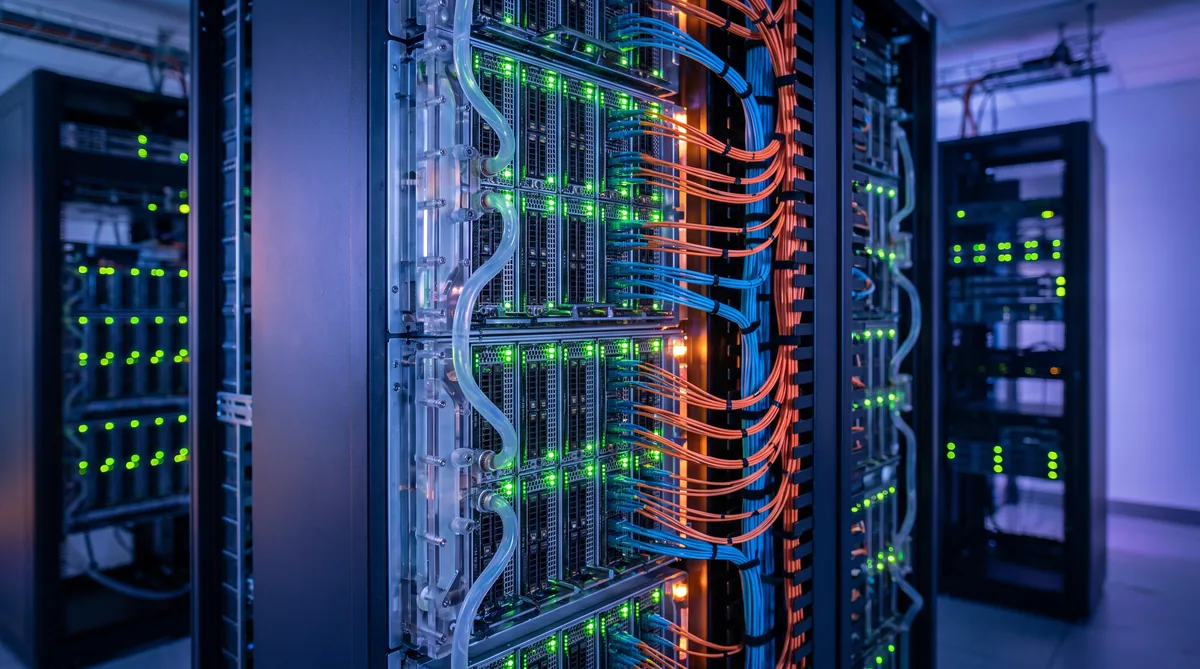
As AI models grow from billions to trillions of parameters, the infrastructure required to train them has outpaced what most organizations can build in-house. GPU colocation -- deploying your own GPU servers in a third-party data center -- has emerged as the preferred middle ground between expensive on-premise builds and the unpredictable costs of cloud compute.
But not all data centers can handle the demands of modern GPU hardware. An NVIDIA H100 or B200 cluster generates heat and draws power at densities that would overwhelm a traditional enterprise facility. Choosing the wrong colocation provider can mean throttled performance, unexpected downtime, and costs that spiral beyond what cloud would have been.
This guide walks through the five factors that determine whether a data center is genuinely ready for AI-scale GPU colocation.
1. Power Density: The Non-Negotiable Starting Point
Traditional data centers provision 5-10 kW per rack. A fully loaded rack of NVIDIA H100 SXM GPUs can draw 40-70 kW. Next-generation hardware pushes this even higher.
When evaluating a colocation provider, ask these questions:
- What is the maximum per-rack power density? If the answer is below 30 kW, the facility was not designed for AI workloads.
- Is power provisioned at the rack level or the cage level? Cage-level averaging can mask the fact that individual racks cannot handle GPU-density loads.
- What redundancy level is the power infrastructure? N+1 is the minimum for production AI training. 2N is preferred for workloads where a power interruption would waste days of training progress.
Rax Data Advantage: Our GPU colocation infrastructure supports up to 50 kW per rack with N+1 redundancy, purpose-built for high-density AI and mining workloads. Learn about power redundancy architectures.
2. Cooling Architecture: Air, Liquid, or Hybrid
Heat removal is the limiting factor for GPU density. At 40+ kW per rack, traditional raised-floor air cooling becomes insufficient. The three approaches:
| Cooling Method | Max Density | PUE Impact | Best For |
|---|---|---|---|
| Air cooling (hot/cold aisle) | 15-20 kW/rack | 1.4-1.6 | Legacy IT, low-density GPU |
| Direct-to-chip liquid | 50-80 kW/rack | 1.1-1.2 | High-density GPU clusters |
| Full immersion cooling | 100+ kW/rack | 1.02-1.1 | Maximum density, overclocked |
For serious AI training deployments, liquid cooling is no longer optional. It reduces the power overhead of cooling itself (reflected in lower PUE numbers), allows denser GPU configurations, and extends hardware lifespan by maintaining more stable operating temperatures.
Ask whether the facility has liquid cooling plumbing already installed, or whether it would require a retrofit. Retrofitting adds months and introduces construction risk in a live data center. Our technology infrastructure is designed from the ground up for liquid-cooled GPU deployments.
3. Network Connectivity: Latency and Bandwidth
AI training workloads are typically not latency-sensitive to the outside world -- the critical network performance is within the cluster. But data ingestion, model checkpoint storage, and multi-site training all depend on external connectivity.
What to Look For
- InfiniBand or RoCEv2 within the cluster: 400 Gbps fabric between GPUs is the 2026 standard for multi-node training.
- Diverse upstream carriers: At least two independent internet paths to avoid single-point failures.
- Low-latency access to cloud storage: If your training data lives in AWS S3, Azure Blob, or GCS, proximity to a cloud on-ramp matters.
- Cross-connect availability: For enterprises running hybrid architectures, direct fiber cross-connects to cloud providers or private WAN can be critical.
4. Security, Compliance, and Physical Access
GPU hardware is expensive. A single rack of H100 GPUs represents $500K+ in hardware value. The data being processed may include proprietary models, customer data, or regulated datasets.
Minimum security requirements for GPU colocation:
- Biometric + badge access with audit trails
- 24/7 on-site security personnel
- CCTV with 90+ day retention
- SOC 2 Type II or ISO 27001 certification
- Separate lockable cages or private suites for high-value deployments
If you are processing healthcare data (HIPAA), financial data (PCI-DSS), or government workloads, verify the specific compliance certifications before signing a contract. Visit our FAQ for answers to common security and compliance questions.
5. Pricing Models: Per-kW, Per-Rack, or Blended
GPU colocation pricing varies more than traditional hosting because power consumption dominates the cost structure. The three common models:
Per-kW (Metered Power)
You pay for actual power consumed, typically measured at the breaker or PDU level. This is the most transparent model and aligns costs with usage. Ideal for workloads with variable utilization (training jobs that ramp up and down).
Per-Rack (Flat Rate)
Fixed monthly fee per rack, regardless of power draw. Simpler budgeting, but you may overpay during low-utilization periods or face overages if you exceed the provisioned power.
Blended / Committed
A committed power reservation with a lower per-kWh rate. Best for organizations with predictable, sustained GPU utilization. This is the model most large-scale operations choose.
Cost Optimization: The electricity rate is the single largest variable in GPU colocation economics. A $0.01/kWh difference across a 100 kW deployment saves $8,760 per year. View our pricing for competitive rates designed for high-density compute.
Evaluating a GPU Colocation Provider: Checklist
Use this checklist when evaluating potential GPU colocation partners:
- Can the facility deliver 30+ kW per rack with room to grow?
- Is liquid cooling available (direct-to-chip or immersion)?
- What is the power redundancy level (N+1 minimum, 2N preferred)?
- Are there at least two independent network paths?
- Does the facility hold SOC 2 Type II or ISO 27001 certification?
- Is the pricing model transparent and aligned with your usage pattern?
- Can you visit the facility and see the infrastructure firsthand?
- What SLA guarantees are offered for power and network uptime?
Why the UAE for GPU Colocation
The UAE has positioned itself as a major AI infrastructure hub. Key advantages for GPU colocation in the region:
- Competitive electricity rates: Lower power costs compared to European and many US markets, directly reducing the largest component of GPU hosting expenses.
- Modern facilities: Newer builds designed from the start for high-density compute, avoiding the limitations of retrofitted legacy data centers.
- Strategic location: Subsea cable connectivity to Europe, Asia, and Africa, with latency advantages for organizations serving multiple continents.
- Government investment: National AI strategies and free zones that incentivize data center development and AI research.
Rax Data & Energy operates enterprise GPU colocation infrastructure in the UAE with high-density power, advanced cooling, and 24/7 monitoring specifically designed for AI and machine learning workloads.
Frequently Asked Questions
What is GPU colocation for AI training?
GPU colocation is a hosting arrangement where you deploy your own GPU servers in a third-party data center that provides power, cooling, networking, and physical security. This is more cost-effective than building your own facility and gives you access to enterprise-grade infrastructure for AI and machine learning workloads.
How much power does a GPU colocation rack require?
A single rack of high-end AI GPUs (such as NVIDIA H100 or B200) can draw 30-70 kW per rack, compared to 5-10 kW for traditional IT equipment. You need a data center that supports high-density power delivery with proper PDU configurations and redundant power paths.
What cooling is best for GPU colocation?
For high-density GPU deployments, liquid cooling (direct-to-chip or immersion cooling) is increasingly preferred over air cooling. Liquid cooling can handle 50+ kW per rack efficiently, reduces energy consumption by 30-40%, and allows for denser GPU configurations.
How do I calculate GPU colocation costs?
GPU colocation costs typically include: power consumption (per kWh rate multiplied by your draw), rack space rental, network bandwidth, and optional managed services. For AI workloads, power is usually the largest cost component, making the electricity rate the most important variable.
Can I colocate GPUs in the UAE for AI training?
Yes, the UAE has rapidly developed its data center infrastructure with competitive electricity pricing, modern facilities, and strategic positioning between European and Asian markets. Contact Rax Data & Energy for GPU colocation with high-density power, advanced cooling, and 24/7 monitoring in the UAE.
Ready to Deploy Your GPU Infrastructure?
Get a custom quote for GPU colocation with high-density power, liquid cooling, and enterprise-grade security.
Request a Quote