AI Model Fine-Tuning Infrastructure: GPU Requirements, Storage, and Facility Design
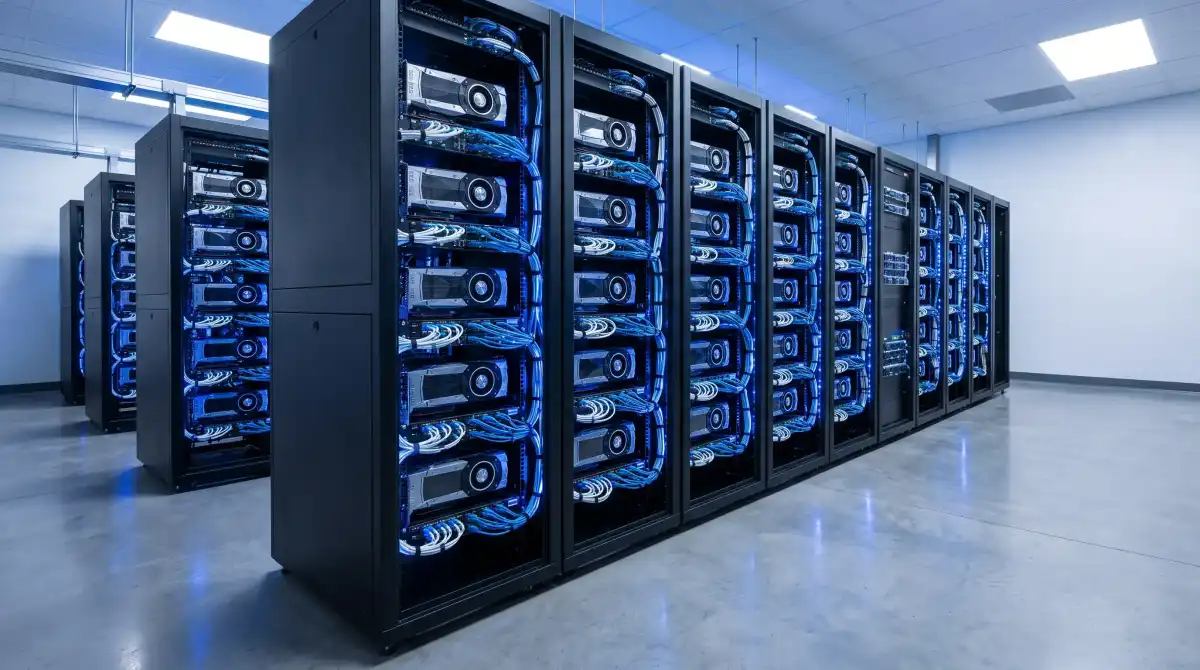
Fine-tuning a foundation model is no longer an activity reserved for hyperscale AI labs. Organizations across healthcare, finance, legal, defense, and enterprise software now fine-tune open-weight models (LLaMA, Mistral, Falcon, Gemma) on proprietary data to build domain-specific AI applications. The infrastructure required for this work is fundamentally different from inference serving, and provisioning it incorrectly -- wrong GPU, wrong network fabric, wrong storage tier -- turns a 72-hour fine-tuning job into a 3-week ordeal or a failed run that produces nothing.
This guide covers the infrastructure stack for AI fine-tuning from GPU selection through facility design, with concrete sizing guidance for different model scales.
GPU Selection and Cluster Sizing
Matching GPU to Workload
Fine-tuning workloads are constrained by GPU memory (VRAM), not compute throughput. Unlike inference, which can run on smaller GPUs with quantized models, fine-tuning must hold the full model weights, optimizer states (2x model size for Adam), gradients, and activation checkpoints simultaneously in memory. For a comprehensive comparison of current-generation GPU hardware, see our H200 vs MI300X benchmark analysis.
| Model Size | Fine-Tuning Method | Min VRAM Required | Recommended GPU | GPU Count |
|---|---|---|---|---|
| 7B | LoRA / QLoRA | 24 GB | A100 40GB, L40S | 1 |
| 7B | Full fine-tune | 160 GB | A100 80GB, H100 | 4-8 |
| 13B | LoRA / QLoRA | 40 GB | A100 80GB, H100 | 1-2 |
| 13B | Full fine-tune | 320 GB | H100, H200 | 8-16 |
| 70B | LoRA / QLoRA | 160 GB | H100 80GB | 4-8 |
| 70B | Full fine-tune | 1.4 TB | H100/H200 | 32-64 |
| 400B+ | LoRA / QLoRA | 800 GB+ | H200 141GB | 16-32 |
| 400B+ | Full fine-tune | 8+ TB | H200, B200 | 128+ |
The table above provides minimum requirements. Production deployments should add 20-30% headroom for larger batch sizes, longer sequences, and mixed-precision overhead.
LoRA vs Full Fine-Tuning: Infrastructure Implications
LoRA (Low-Rank Adaptation) trains only a small number of additional parameters (typically 0.1-1% of the base model), keeping the original weights frozen. This reduces VRAM requirements by 4-8x compared to full fine-tuning and enables single-GPU training for models up to 13B parameters. The trade-off is that LoRA may not match full fine-tuning quality on tasks requiring deep behavioral changes.
Full fine-tuning updates all model parameters. This demands the full model weights, a copy for gradients, and optimizer states (2x weights for Adam) all in GPU memory simultaneously. A 70B-parameter model in BF16 occupies 140 GB for weights alone; add optimizer states and gradients and the total memory footprint reaches 560+ GB, requiring at least 8 H100 80GB GPUs with model parallelism.
For most enterprise applications -- RAG augmentation, domain adaptation, tone/style alignment -- LoRA fine-tuning produces excellent results at a fraction of the infrastructure cost. Reserve full fine-tuning for cases where you need to fundamentally retrain model behavior.
Network Fabric: The Performance Multiplier
Why Network Matters for Fine-Tuning
Multi-GPU fine-tuning uses data parallelism (each GPU processes a different batch) or model parallelism (model layers split across GPUs). Both require constant synchronization of gradients and activations between GPUs. The network connecting your GPUs directly determines training speed -- a 10x difference in interconnect bandwidth can mean a 3-5x difference in time-to-completion.
Interconnect Options
NVLink (intra-node): NVIDIA's proprietary GPU-to-GPU interconnect delivers 900 GB/s bidirectional bandwidth on H100 (NVLink 4.0) and 1.8 TB/s on B200 (NVLink 5.0). NVLink operates within a single server node (typically 4 or 8 GPUs). For fine-tuning workloads that fit within a single 8-GPU node, NVLink provides all the bandwidth you need.
InfiniBand (inter-node): When your GPU cluster spans multiple servers, InfiniBand connects them. NVIDIA ConnectX-7 adapters deliver 400 Gb/s (50 GB/s) per port. A properly configured InfiniBand fabric with RDMA (Remote Direct Memory Access) minimizes the overhead of gradient synchronization across nodes. For clusters of 16+ GPUs, InfiniBand is not optional -- Ethernet-based alternatives add 30-50% training overhead due to higher latency and lower effective bandwidth. Rax facilities support high-bandwidth networking; learn more about our AI compute infrastructure.
RoCE (RDMA over Converged Ethernet): A lower-cost alternative to InfiniBand that runs RDMA over standard Ethernet switches. RoCE v2 on 100 GbE or 400 GbE networks can approach InfiniBand performance for clusters up to 64 GPUs, but requires careful network configuration (lossless Ethernet, PFC, ECN) to avoid performance degradation under heavy traffic.
Practical Guidance
- 1-8 GPUs (single node): NVLink handles everything. No external network fabric needed for GPU communication.
- 8-32 GPUs (2-4 nodes): InfiniBand NDR (400G) or RoCE v2 on 400 GbE. A single leaf switch is sufficient.
- 32-128 GPUs (4-16 nodes): InfiniBand NDR with a leaf-spine topology. Plan for 1:1 oversubscription ratio (non-blocking fabric) on the GPU network.
- 128+ GPUs: Full InfiniBand NDR/XDR fabric with NVIDIA Quantum switches, fat-tree topology, adaptive routing. This is hyperscale territory.
Storage Architecture
Three Storage Tiers
Fine-tuning workflows interact with storage at three distinct performance tiers. Getting the tier structure right prevents the most common bottleneck -- GPUs sitting idle waiting for data.
Tier 1: Training data ingestion (high throughput, moderate capacity). The training dataset must stream to GPUs fast enough to saturate compute. For a 16-GPU cluster training on a 500 GB dataset, you need at minimum 10 GB/s sustained read throughput. NVMe SSDs in a parallel filesystem (Lustre, GPFS, or WekaFS) deliver this. Budget 2-4x your dataset size for preprocessing, tokenization artifacts, and shuffled copies.
Tier 2: Checkpoint storage (high throughput, high capacity). Fine-tuning checkpoints (full model weights + optimizer state) are written every N steps to enable recovery from failures. A 70B model checkpoint is approximately 280 GB (weights + optimizer in BF16). If you checkpoint every 500 steps on a 10,000-step job, you produce 20 checkpoints totaling 5.6 TB. NVMe or high-performance NAS with 5+ GB/s write throughput keeps checkpointing from stalling training.
Tier 3: Long-term model storage (high capacity, moderate throughput). Completed model weights, experiment logs, training metrics, and evaluation results. Object storage (S3-compatible) or large NAS volumes with 1+ GB/s throughput are sufficient. Budget 10-20 TB per model family for experiment history.
Data Pipeline Design
The training data pipeline is often the silent bottleneck. A well-designed pipeline pre-tokenizes data, stores it in a format optimized for random access (Apache Arrow, memory-mapped files), and prefetches the next batch while the current batch trains. The storage subsystem must support random I/O patterns -- sequential throughput benchmarks do not predict real training data performance.
Power and Cooling Requirements
Power Density
A single NVIDIA DGX H100 server (8x H100 GPUs) draws 10.2 kW at full load. A rack of 4 DGX nodes draws 40+ kW. Compare this to a standard enterprise server rack at 5-8 kW. GPU fine-tuning racks require 4-8x the power density of conventional compute. For a deep dive into cooling approaches, see our analysis of water cooling ROI for high-density data centers.
| Configuration | Power Draw | Cooling Required | Rack Density |
|---|---|---|---|
| 4x A100 node (1U) | 2.5-3.0 kW | Air (with containment) | 20-25 kW/rack |
| 8x H100 DGX (8U) | 10.2 kW | Liquid recommended | 30-40 kW/rack |
| 8x H200 node (8U) | 11.5 kW | Liquid required | 35-45 kW/rack |
| 8x B200 GB200 NVL72 | 14+ kW/tray | Liquid required | 120+ kW/rack |
Cooling Strategies
Air cooling reaches its practical limit at approximately 25 kW per rack with hot-aisle containment and in-row cooling units. Beyond that, facilities must deploy liquid cooling:
- Rear-door heat exchangers (RDHx): Water-cooled doors mounted on the back of standard racks. Effective up to 35-40 kW per rack without modifying the servers. The simplest liquid cooling upgrade path for existing facilities.
- Direct-to-chip (cold plate): Liquid coolant circulates through cold plates attached directly to GPU and CPU packages. Removes 70-80% of heat at the source. Requires compatible server chassis (Dell, HPE, and Supermicro offer DLC-ready GPU servers). Handles 50-80 kW per rack.
- Immersion cooling: Servers submerged in dielectric fluid. Handles 100+ kW per rack and eliminates fans entirely, reducing noise and energy consumption. Higher upfront cost but lowest PUE (1.02-1.05 vs. 1.3-1.5 for air cooling).
For fine-tuning clusters of 16+ GPUs, plan for liquid cooling from day one. Retrofitting air-cooled facilities for GPU density is expensive and disruptive.
Cost Models: Build vs. Rent
Cloud GPU Rental
Cloud providers (AWS, Azure, GCP, CoreWeave, Lambda) offer H100 instances at $2.00-$4.00 per GPU-hour on-demand, with reserved pricing at $1.50-$2.50 per GPU-hour for 1-3 year commitments. A 16-GPU fine-tuning job running 72 hours costs $2,300-$4,600 on-demand.
Cloud advantages: zero upfront capital, instant scaling, no facility management. Cloud disadvantages: high hourly cost, data egress fees ($0.05-$0.09/GB), limited control over network topology, potential GPU availability constraints during peak demand.
Dedicated Infrastructure (Colocation)
Purchasing GPUs and colocating them at a facility like Rax involves upfront capital ($25,000-$40,000 per H100 GPU) plus monthly hosting fees ($200-$500 per GPU for power, cooling, network, and facility). A 16-GPU cluster costs $400,000-$640,000 upfront plus $3,200-$8,000 per month.
The break-even analysis depends on utilization. At cloud on-demand rates of $3.00/GPU-hour, a 16-GPU cluster costs $34,560 per month at 100% utilization. The dedicated infrastructure monthly cost (amortized over 3 years) is approximately $14,400-$21,800, yielding a 37-58% savings at full utilization. The break-even point is approximately 20% utilization -- if you run fine-tuning workloads more than ~146 hours per month per GPU, dedicated infrastructure is more economical.
Hybrid Approach
The most cost-effective strategy for many organizations is a hybrid model: a small dedicated cluster (8-16 GPUs) for regular workloads, with cloud burst capacity for large training runs or deadline-driven projects. This keeps the dedicated cluster at high utilization (maximizing ROI) while avoiding the capital expenditure of provisioning for peak demand.
Facility Selection Criteria
When choosing a colocation facility for fine-tuning infrastructure, evaluate these factors in order of impact on training performance and cost. For facility-specific details across our network, visit the Rax locations directory.
- Power density support: Can the facility deliver 30-50+ kW per rack? Ask for the maximum supported rack power, not the average. Many facilities advertise "high density" but cap at 15-20 kW.
- Liquid cooling availability: Does the facility support rear-door heat exchangers, direct liquid cooling, or immersion? Retrofitting is expensive -- choose a facility with existing liquid cooling infrastructure.
- Network fabric: Does the facility support InfiniBand or provide a dedicated GPU network segment? Shared Ethernet with other tenants will bottleneck multi-node training.
- Power cost: GPU clusters run 24/7 at near-full load. A $0.01/kWh difference on a 100 kW deployment equals $8,760 annually. Facilities in low-cost power markets (Texas, Nordics, Middle East) offer significant savings.
- Redundancy tier: Fine-tuning jobs can run for hours or days. A power interruption that kills a 48-hour training run wastes the entire compute investment. N+1 or 2N power redundancy and automatic failover are essential.
- Physical security and compliance: If training on sensitive data (healthcare, finance, government), the facility must meet relevant compliance standards (SOC 2, ISO 27001, HIPAA BAA, FedRAMP).
Putting It Together: Reference Architectures
Small-Scale (Startup / Research Lab)
8x H100 80GB in a single DGX or equivalent node. NVLink handles all GPU communication. 4 TB NVMe for training data and checkpoints. 100 GbE uplink for data transfer. Air cooling with hot-aisle containment (10.2 kW). Total infrastructure cost: $250,000-$350,000. Suitable for: LoRA fine-tuning of models up to 70B, full fine-tuning up to 13B.
Mid-Scale (Enterprise)
32x H100 in 4 nodes. InfiniBand NDR 400G between nodes, NVLink within. 16 TB NVMe parallel filesystem (WekaFS or Lustre). Rear-door liquid cooling (40 kW/rack). Total infrastructure cost: $1.0-$1.5M. Suitable for: Full fine-tuning up to 70B, LoRA on 400B+ models, concurrent multi-experiment workflows.
Large-Scale (AI-First Organization)
128+ H200 in 16+ nodes. InfiniBand NDR/XDR fat-tree fabric with NVIDIA Quantum-2 switches. 100+ TB parallel filesystem + object store. Direct-to-chip or immersion cooling (120+ kW/rack). Total infrastructure cost: $5-$10M+. Suitable for: Full fine-tuning of 400B+ models, pre-training smaller models from scratch, multi-team shared GPU cluster with scheduling (SLURM/Kubernetes).
Build Your Fine-Tuning Cluster
Rax provides GPU-ready colocation with liquid cooling, InfiniBand networking, and competitive power rates across our facility network. Let us design your fine-tuning infrastructure.
Get a Custom Quote